

![]() |
|
Take a trip back in time to the 1880s and ‘90s, when Tucson’s population was around 5,000. It was the largest incorporated town in what was then the Arizona Territory. Copper mining, land, irrigation in that arid climate, and livestock were making headline news. When the University of Arizona accepted its first students in October 1891, the Arizona Weekly Citizen included an account of the first day. The Tucson paper also published local and national highlights under a Telegraph headline in each issue. There are only two issues on Newspapers.com of The Arizona Kicker, also published in Tombstone, but the images of livestock with brands and owners’ names featured in the October 12, 1898, edition are interesting. In a ranching community, keeping track of stray cows was financially important. Arizona newspapers can be browsed or searched as a group from this link: www.newspapers.com/place-arizona/. Catch up on all the newest editions and latest headlines through the New & Updated page on Newspapers.com.
|
Best Strategies: Clippings
![]() |
|
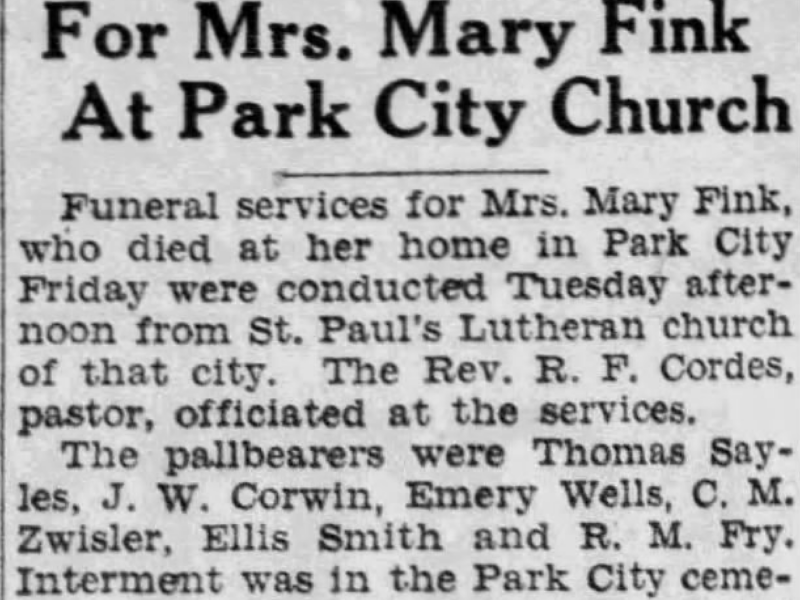
Newspaper clippings are significant in both historical and sentimental ways. If you’ve ever discovered clipped gems in a library file, posted on a bulletin board, folded into a letter, stuck between the pages of a book, or pasted into an album, then you know of their appeal. A clipping directs us to a snippet of valuable news or focuses our attention to a seemingly casual item that must have been important to the person who clipped it in the first place. On Newspapers.com, clippings are elevated to a digital level. Unlike those in dusty scrapbooks or creased inside yellowing envelopes, the clippings on Newspapers.com maintain their quality, are more discoverable, and easier to share with others. We can clip to our heart’s content without worrying about losing a scrap of paper or watching important words smudge and fade over time. The Clippings link is readily accessible at the top of every page. Click on it to view your clippings as well as those of others. Browse through recently clipped items for an intriguing glimpse at what others find interesting in the online newspapers. Of course, creating your own clippings is a lot of fun, too. Anytime you come across an article you’d like to save or share, reach for your virtual scissors by choosing “Clip” at the top of the viewer window. Drag the edges of the box that appears around the item of interest, add a description if you wish, and your clipping will be saved in “Your Clippings” for you to find again. You can share your clip through a variety of options to the right under “Share this clip.” Choose to send the link to another, embed it in a webpage, or share it with your friends and family on Facebook, Twitter, or Pinterest. Newsprint clippings of the past often show up without a paper’s name or publication date. With Newspapers.com that’s no longer a problem as each clipping is saved with the publication’s title and date permanently attached. If you choose to print a clipping, that important information is printed as well. A clipping can be an article, search, page, newspaper, or another member’s profile. It’s a great way to save things you like, share interesting stories you find, and stay up to date on things that interest you. Clippings are so ubiquitous, it’s easy to find references to “newspaper clippings” spanning decades and regions by searching on Newspapers.com. Here are some links to clippings about, well … clippings! This Staff Reporter feels a bit like her mother, sending these clippings to you, our readers. But, we’ve all been on the sending or receiving end at some point in our lives, right? Enjoy!
|
Lusitania Sunk by German Submarine May 7, 1915
![]() |
|
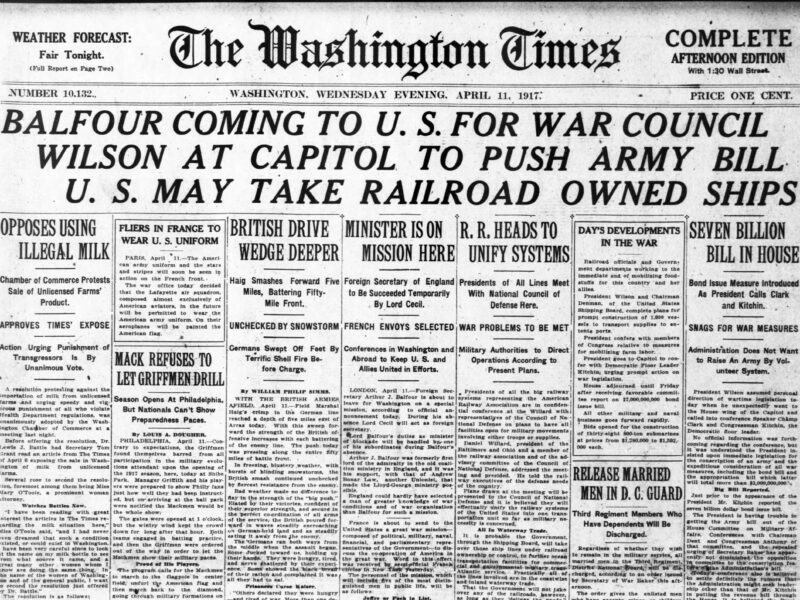
An ocean liner can be a hazardous vessel for travel in wartime. Yet, in the early 20th century, there was no other way to get from one side of the Atlantic to the other. During World War I, German submarines prowled shipping lanes, looking for transport and munitions ships to attack, suspecting that even passenger ships carried war materials from the U.S., a neutral country, to Great Britain, Germany’s enemy. The perils of crossing the ocean in wartime were well known as noted in August 1914 when several newspapers, including The Washington Post, reported that the Lusitania was “dodging German cruisers.” On May 7, 1915, the RMS Lusitania did not dodge so effectively. The ship was spotted by a German U-boat off the coast of Ireland, hit by a torpedo, and sunk within 18 minutes. Of the 1,959 on board, 1,195 lost their lives, including 123 Americans. The ship’s captain, William Turner, survived and received much of the blame for not following the recommended protocol for avoiding German subs. The tale is best told through contemporary accounts. A photo of the Lusitania in better days, along with a lengthy headline declaring that “a grave crisis is at hand,” plus several smaller yet related articles, was published in The New York Times. What we know today about the sinking of the Lusitania is a bit different than the breaking news of 1915. Yet, the speedy and timely reporting is remarkable and quite accurate for the era. Explore these news headlines and related stories on Newspapers.com.
|
Finding Your Place
We had a great time talking to people about the site at the RootsTech conference in Salt Lake City last month. We got to meet people, show them the site and to get their feedback and suggestions.
For most of the people that I spoke to, the first question they had was, “What do you have for [fill in the location]?” People had a place, and often a time period, they were interested in and wanted to know if we had newspapers that could help them.
There are a few different ways to see what we have on the site and each has its benefits. At the top of each page of the site you’ll find links to “Browse” and “Papers”, both of which will show you what we have for a particular area.
Browse
The Browse page let’s you start with a country, narrow to state, city and then date. It gives you a quick sense for what is available by location and is particularly helpful if you are interested in papers from a certain city.
The Papers Page
The Papers page lists all the papers we have alphabetically by title, but you can use the map on the left side of the page to narrow the list and just show papers from a give state. You can even add a date range to further narrow your list. Then you can search within just those papers or click on an individual paper to learn more about what we have for that paper.

In addition to the US papers we have, you’ll find a few from England and Canada if you click on “World” above the map.
State Pages
Recently we’ve been working on a new set of pages that we hope will help showcase what we have for each state. We’re still trying to get them right, but you can have a look at them and let us know what you think.

Here are the states we currently have papers for with links to their pages:
Alabama
Alaska
Arizona
Arkansas
California
Colorado
Connecticut
Delaware
Florida
Georgia
Idaho
Illinois
Indiana
Iowa
Kansas
Kentucky
Louisiana
Maine
Maryland
Massachusetts
Michigan
Minnesota
Mississippi
Missouri
Montana
Nebraska
Nevada
New Hampshire
New Jersey
New Mexico
New York
North Carolina
North Dakota
Ohio
Oklahoma
Oregon
Pennsylvania
Rhode Island
South Carolina
South Dakota
Tennessee
Texas
Utah
Virginia
Washington
West Virginia
Wisconsin
So, for now we’re missing Hawaii, Vermont and Wyoming, but we’re working hard to get some good papers for those states.
We also have pages for a couple of non-US locations: Canada and England.
We’re adding millions of pages to the site each month, so if you don’t see what you are looking for today, don’t forget to check back later and be sure to let us know if there is a paper or a location you are interested in.
Strategies for Searching on Newspapers.com
![]() |
|
Searching for names and keywords in newspapers can be challenging, especially when you’re looking for someone whose name is the same as a prolific noun or verb in the English language. Surnames like Rose, Wells, Fudge, and Burns are tricky to separate from their everyday usage when you’re looking for people, not words, in newspaper articles. Understanding the quirks of how typed text is indexed through Optical Character Recognition (OCR)*, may help you in your searches on Newspapers.com. You’ll soon develop unique strategies for getting the results you want. Whether you search directly from the search box on the homepage or click the “Search” link at the top of most pages, adding fields for dates and a location will narrow your search results. You can also make use of quotation marks to keep two or more words next to each other in the results. For example, a search for Henry Fudge brings 65,731 matches, while “Henry Fudge” yields 37. Results for Rose Allen exceed 1.5 million, while “Rose Allen” provides a much more manageable 1,770 matches. An 18-year-old Pennsylvania socialite named Rose Allen made headline news across the nation in 1931-32 when her brother allegedly murdered her sweetheart. If the Rose Allen we seek is a different woman, we’ll want to narrow our search by time period and place to filter out all the results that pop up from the brother’s murder trial and Rose’s testimony. Use the date and location filters on the left of the search results page, add an additional search term outside of the quotation marks (try a profession, relative’s name, or event title), or even confine your search to a specific newspaper under “Narrow by Newspapers.” Reducing the matches and further adjusting your search filters will ultimately lead you to the news you’re looking for if it’s available. Once you create a specific search sequence that works for you, save it as a clipping by clicking the “Clip” link on the upper right. As more papers are added to Newspapers.com, you can return and easily perform the same search again using those clipped search parameters. * Visit the Help Center on Newspapers.com. Under Newspapers.com Basics, OCR is explained as: All the pages on Newspapers.com have been indexed using Optical Character Recognition (OCR). This means that a computer has tried to identify the words on each page and produce a digital version to search. When the image is clean and in good condition, this process is very accurate and can make searching papers easy. For older papers or other papers where the image is less clear, the OCR processing may miss important words or read them incorrectly. |
Women’s Rights Make Headline News 1848-1970
![]() |
|
The Seneca Falls Convention in July 1848 marked the beginning of a movement to bring suffrage and other rights to women in the United States. In a 13 August 1848 column, The Times-Picayune of New Orleans printed a summary of the grievances issued at the convention, written “as a sort of parody” of the Declaration of Independence. The column met one of the conventioneers’ goals to “endeavor to enlist the pulpit and the press” in their cause. During World War I, suffragettes rallied in ever-increasing numbers. One such protest in Washington, DC, ended in the arrest of sixteen protesters who were “sentenced to 60 days’ imprisonment for activities about the White House.” It prompted a Washington Post article on 19 July 1917 about how the imprisoned ladies were treated and their reactions to incarceration. Disenfranchised women finally got the vote on 18 August 1920 when Tennessee became the 36th state to ratify the 19th Amendment, providing the three-fourths majority needed. The right to vote “shall not be denied or abridged … on account of sex” became the law of the nation, and the remaining twelve states ultimately ratified the amendment. Yet some, like North Carolina and Mississippi, put it off until much later: 1971 and 1984 respectively. The history of the 19th Amendment was recounted in a contemporary article by The Daily Capital News of Jefferson City, Missouri, commemorating the achievement. Fifty years later, and tied into the anniversary of the 19th Amendment, NOW (the National Organization for Women) organized a “Women’s Strike for Equality” to address equality in employment, politics, marriage, and many other arenas. Tens of thousands marched in New York and other cities. Newspapers as far away as Alaska reported on the rallies and demonstrations, as published in this 27 August 1970 article in the Fairbanks Daily News-Miner. |
Unprecedented Wind and Weather Wreak Havoc Along Eastern Seaboard

January 1913
Throughout history, winter weather on the Atlantic Coast is notorious for providing fodder for headline news. In early January, 100 years ago, a major storm caused death, damage, and destruction from Georgia to New England. The storm brought freezing temperatures to the south, damaged buildings in the north, wrecked boats off the coast, “crippled wire communication” around the country, and generally caused massive destruction through fierce winds. The extreme weather prompted these January 4, 1913 headlines and their related articles:
- Atlanta Swept by Windstorm – Atlanta Constitution
- Havoc by Storm All Along the Coast – Washington Post
- Gale Hits Quaker City and Eleven Persons Are Injured by Falling Wall – The News (Frederick, MD)
- Worst Blow in Thirty-five Years Makes Ugly Sea – The Evening Record (Greenville, PA)
- Wind Blows Woman in Front of Train and Man Into Water – Trenton Evening Times
- Wind Hits New York at 90 Miles an Hour – New York Times
Introducing Fishwrap, the blog
Welcome to Fishwrap, the company blog for Newspapers.com.
We’ll use this blog to keep you up to date on new content and features we’re working on, to pass along tips for using the site, to highlight interesting things we find in and about historical newspapers and to share anything else we think you might like to know.
Subscribe to our RSS feed to be notified when we post something new or follow us on twitter or facebook.
We’re excited see millions of new pages coming to Newspapers.com and are working to make them easier to find and use. If you have feedback or suggestions of things you’d like to see on the site, please send them to us.